How to Read Your Audience and Adjust Your Public Speaking in Real Time

Liam Sandford
Liam Sandford is a Head of Marketing, public speaking expert, and 2x Best Selling Author including the book Effortless Public Speaking. He helps ambitious professionals and entrepreneurs communicate with impact to get noticed, grow their career, and build their business.
You feel it before you can name it. Three minutes in, the nods slow, a phone comes out, and the energy in the room quietly drops. The most memorable speakers catch that moment and act, reading the room and reshaping their delivery on the spot. Reading your audience and adapting in real time is one of the most powerful skills a speaker can build.
This article shows you how to:
Observe audience reactions accurately.
Read nonverbal cues to gauge engagement.
Adjust pacing, tone and content on the fly.
Bring in interactive elements to keep attention high.
Hold your confidence and presence while you adapt.
By the end you will have a practical framework for turning any presentation into a responsive experience, whatever the audience size or setting.
Why Reading Your Audience Is Essential in Public Speaking
Every audience is different. Energy, mood and engagement vary from room to room, and a presentation that flies in one setting can fall flat in another. Working with that difference takes the ability to observe, interpret and respond in real time.
Reading your audience matters because it lets you:
Gauge interest and comprehension.
Spot confusion or disengagement early.
Adjust the message so it stays relatable.
Hold your authority and credibility.
Without the skill, even a well prepared speaker risks losing the room or failing to connect. Cues like posture, facial expression and gestures give you immediate insight into the audience's state, and paired with conscious adjustments they turn your delivery from static to engaging.
What Signals Should You Look For to Read Engagement?
To read a room well, watch:
Posture: leaning forward signals interest; slouching can mean fatigue or drift.
Facial expression: confusion, smiles, nods and raised eyebrows all reveal comprehension and emotional response.
Gestures: fidgeting, crossed arms or restlessness often signal discomfort or distraction.
Eye movement: repeated glances at phones, watches or the exit suggest waning attention.
Reading these signs gives you the information to adapt your delivery for the most impact.
How Do Small Adjustments Make a Big Difference?
Even a subtle change can bring a room back:
Pause briefly to let an important point sink in.
Rephrase a concept the moment you notice confusion.
Drop in a quick anecdote to illustrate a key message.
Move closer to an engaged section of the room to strengthen the connection.
Each of these can reignite focus and keep your momentum without derailing the presentation.
How to Adjust Your Presentation in Real Time for Maximum Impact
Adapting while you speak takes awareness, confidence and a handful of techniques. Real time adjustments can mean:
Changing your pace to match comprehension.
Modulating your tone to carry emphasis or energy.
Reordering or stressing content to meet what the room needs.
Using gestures and movement on purpose to reinforce a point.
Flexibility is the key. Your script is a foundation, not a cage. Every audience gives you different feedback, and the ability to pivot keeps your message landing consistently.
How Can You Change Pace and Tone Effectively?
Adjusting pace and tone holds engagement:
Slow down for complex points to give the audience time to process.
Speed up when the energy dips or urgency is needed.
Use a shift in tone to highlight a critical idea or add weight.
The more aware you are of the room, the more natural these adjustments feel.
When Should You Alter Content or Emphasis?
Change the content when the cues point to confusion or boredom:
Lean into the examples that resonate with the room.
Expand the explanation where people look lost.
Skip or condense a point the audience clearly already gets.
Acting on the cues shows attentiveness and keeps the audience's trust.
How Can You Maintain Your Core Message While Adapting?
Flexibility matters, but your main message has to stay clear:
Use the adjustments to support your points, not to replace them.
Keep the key ideas visible with summaries or repeated emphasis.
Anchor every change to the overall objective of the presentation.
That way real time adaptation deepens understanding rather than diluting it. For more on staying on track with your message, work through the Ultimate Guide to Public Speaking.
Using Nonverbal Cues to Gauge and Influence Audience Engagement
Nonverbal communication is a goldmine of real time feedback. Body language, facial expression and energy give you a continuous read on how the message is landing, and skilled speakers observe and respond without breaking their flow.
Regular observation means the small signs of disengagement get caught before they grow into big ones. Your own body language reinforces your authority too, so the adjustments feel intentional rather than reactive.
What Are the Most Reliable Nonverbal Indicators?
The signals worth watching:
Facial expression: smiles, frowns, raised eyebrows and eye contact.
Posture: leaning forward, leaning back, slouching or crossed arms.
Gestures: hand movement, foot tapping or fidgeting.
Eye contact: scanning patterns, prolonged looking away or distracted glances.
Watching these continuously gives you the data to adjust on the fly.
How Can You Respond to Negative Nonverbal Cues?
Respond quickly and on purpose:
Ask a short question to pull the audience back in.
Drop in a brief example or story to illustrate the point.
Adjust your gestures, movement or vocal energy to recapture attention.
Do something bold, like turning the screen off if you are running slides, so the focus comes back to you. PowerPoint is your support act, not the headliner.
A quick response signals awareness and empathy, and it strengthens your connection with the room.
Incorporating Interactive Elements to Maintain Engagement
Interaction is a proven way to read the room and keep attention high. Questions, polls and audience participation give you immediate feedback and make the experience feel alive.
Interactive moments also create chances to observe, so you can adjust your delivery on the reactions you get. They build rapport, lift retention and make the presentation stick.
A poll does more than gather opinions, it can move people to act while you still have them in the room. I ran a webinar for around 250 attendees and dropped a poll into the middle of the session rather than saving the ask for the end. That single mid session prompt brought in about 60 demo requests there and then. The lesson holds for any presentation: ask in the middle while attention is high, not at the end when the room is already reaching for the door.
What Types of Interaction Work Best?
Questions: short, relevant and aimed at the audience.
Polls or a show of hands: gauge opinion and get people taking part.
Story prompts: invite a brief example from the audience to build connection.
Something different: a pattern break that pulls focus straight back to you.
How Can You Manage Interaction Smoothly?
Set the expectation for how long a response should take.
Limit participation so it never stalls your flow.
Use volunteers deliberately to engage key sections of the room.
Interaction handled well lifts engagement without slowing the presentation.
Managing Your Energy and Stage Presence While Adjusting
Your energy steers the audience's attention. Calm, confident delivery draws focus, while nervous or reactive behaviour drains it. Managing your presence while you read the room keeps the adjustments feeling natural and authoritative.
How Do You Stay Grounded While Observing the Room?
Pause briefly to take in the reactions.
Anchor your posture for stability.
Focus on individual audience members to hold the connection.
Can Real Time Adjustments Improve Confidence?
Every successful change you make reinforces your authority, which makes the next presentation feel easier and more controlled. The confidence grows with practice at reading the cues and pivoting smoothly.
Common Mistakes When Reading and Adjusting to an Audience
Even experienced speakers slip up when reading a room. The most common mistakes:
Overreacting to an isolated cue.
Ignoring the early signs of disengagement.
Adjusting so often the message loses consistency.
Letting your presence drop while you observe.
Awareness and restraint are the answer. Read, interpret and adjust without losing sight of your core message.
How Can You Avoid Overreacting and Overcorrecting?
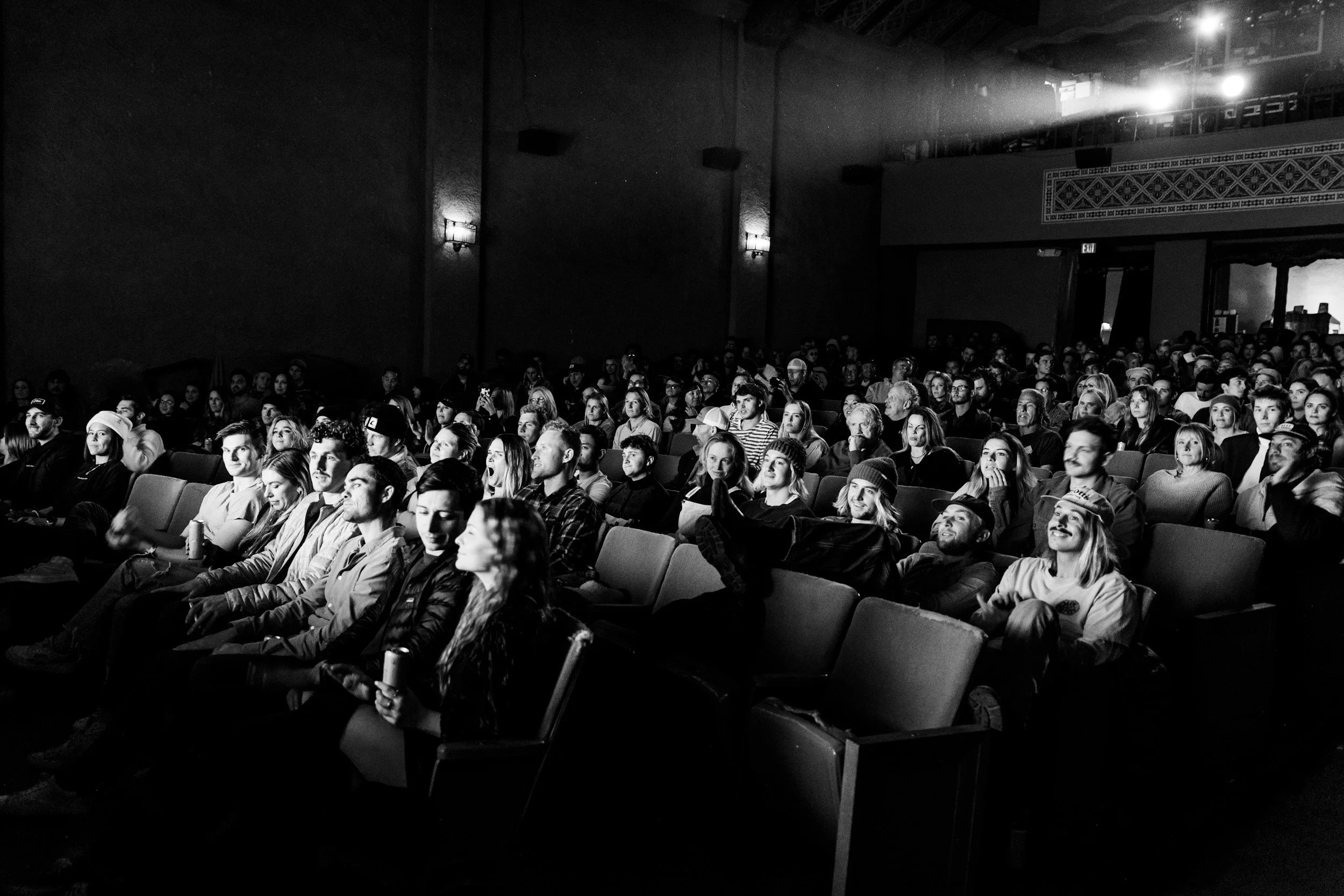
Read the pattern, not the single instance. One bored person does not mean the room has gone. Base your adjustments on the collective signal, and use a simple rule of three: see it once, leave it; see it twice, start thinking about a change; see it three or more times across the room, and it is time to adjust.
Frequently Asked Questions About Reading Your Audience
How do you read an audience when stage lights stop you seeing faces?
Work with the cues you still have. Bright lights wash out faces, but you can hear a room, the laughter, the murmurs, the shuffling, the silence, and you can read the front rows you can see and treat them as a sample. Audio feedback is often a better gauge than you expect, so listen for the energy as much as you look for it, and lean on the people you can make out to anchor your read.
How do you read a virtual audience through a screen?
Build the feedback in, because the silent cues mostly vanish online. Use chat, polls and direct questions to pull reactions out of a room you cannot see, and watch the few cameras that are on for the nods and the drift. Engagement decays faster on a screen, so check in more often than you would in person and treat a quiet chat as a signal to change something rather than proof everything is fine.
How quickly should you adjust if the room feels flat?
Do not move on the first wobble. A single flat moment is normal and overreacting to it can rattle your whole delivery, which is why the rule of three is useful: one instance you leave, two you watch, three or more across the room you act on. The point is to respond to a genuine pattern, not to chase every stray yawn and end up looking jittery.
How do you adjust without losing your place in the presentation?
Anchor everything to your structure. When your presentation sits on a clear framework like an open, body and close, you can rephrase a point, add an example or change your pace and still know exactly where you are. The adjustments hang off the structure rather than replacing it, so you flex the delivery while the backbone of the message stays fixed and you never lose your thread.
TL;DR: How to Read Your Audience and Adjust Your Public Speaking in Real Time
Reading your audience and adjusting in real time is one of the most powerful skills a speaker can build.
Read the room: watch posture, facial expression, gestures and eye contact to gauge interest and comprehension.
Adjust on the fly: flex your pacing, tone, content and movement on the cues while keeping your core message intact.
Build in interaction: questions, polls and brief stories bring the room back, and a well placed poll can move people to act mid session.
Hold your presence: calm, grounded energy keeps the adjustments feeling natural and authoritative.
Use the rule of three: act on a pattern across the room, not on one isolated cue.
More From Liam Sandford
Read my book: Effortless Public Speaking. Learn how to speak confidently, reduce stress, and turn public speaking into your competitive advantage. These actionable public speaking tips will help you improve your presentation skills for any audience.
Join the free 5-day email course: Get daily lessons packed with practical strategies to deliver effective presentations and speak confidently. This course is designed to build your public speaking skills step by step. Sign up below: