Ultimate Guide to Using AI for Public Speaking: Boost Your Preparation, Clarity, and Confidence

Liam Sandford
Liam Sandford is a Head of Marketing, public speaking expert, and 2x Best Selling Author including the book Effortless Public Speaking. He helps ambitious professionals and entrepreneurs communicate with impact to get noticed, grow their career, and build their business.
Public speaking is consistently rated among people's biggest fears, and preparing a presentation can swallow hours you do not have. That is the part AI changes. It will not stand up and speak for you, and it cannot coach you the way a person can, but it can take the heavy lifting out of preparation: shaping a narrative, sharpening your message, researching your audience, and getting you to the point where you can practise. Think of AI as your support act, not the main event.
Used well, AI helps you prepare faster while keeping the presentation unmistakably yours. It can help you find a clearer way to say something, surface the questions your audience is likely to ask, and turn a blank page into a structure you can build on. The personality, the lived experience, and the connection in the room still come from you. AI just gets you to that point faster.
I have been using AI for this since 2022, when ChatGPT first landed, testing it on my own speaking and with the speakers I have coached. One thing became obvious quickly: AI is a thinking partner, not a replacement. Left to its own devices it hallucinates and drifts towards generic, safe language. So I do the thinking, and AI sense checks and speeds me up. This guide is built from that experience, so you get the useful workflows and skip the bad habits.
If the technology intimidates you, don't worry. The barrier to entry is low. It looks high tech, but it is closer to having a conversation than writing code, so you can get up to speed quickly.
Table of Contents
- Why AI Is Transforming Public Speaking
- How to Use AI to Write and Refine Your Speech
- How to Use AI to Generate Public Speaking Ideas
- How to Use AI to Do Audience Research for Your Presentation
- Which AI Tools Are Best for Public Speaking?
- How Not to Use AI for Public Speaking
- How to Use AI to Land Public Speaking Gigs
- How to Use AI to Improve Your Work Presentations
- How to Use AI to Improve at Public Speaking
- Prompt Engineering for Public Speaking: How to Get Better Results
- Getting Started With AI for Public Speaking
Why AI Is Transforming Public Speaking
AI is changing public speaking because it removes the friction that stops most people preparing well. The friction is usually the blank page, the unclear message, and the hours lost to second guessing. Clear that, and you have more time and energy for the part that wins a room: how you make people feel. It is moving quickly too, and the way AI is reshaping public speaking rewards the people who keep up.
A quick caution that runs through this whole guide. AI changes how you prepare, not how you perform. The moment you treat it as the speaker rather than the assistant, the presentation stops sounding like you.
How AI Is Changing Speech Writing, Clarity, and Audience Connection
AI is good at the parts of preparation that feel heavy: shaping ideas, finding a sharper angle, and offering a clearer way to phrase your point. Instead of staring at a blank page, you can ask for starting points, outline variations, or three different ways to frame the same story, then pick the one that fits.
It also helps you think harder about who you are speaking to. You can use it to explore your audience's likely questions and pressures so your message meets them where they are. Clear beats clever, and a confused audience is a lost audience, so anything that sharpens your thinking before you write is worth having. When your thinking is clear, your confidence grows long before you step in front of anyone.
Using AI to Assist, Not Replace

Put AI to work on specific jobs rather than the whole presentation. Ask it to generate story ideas, test two versions of your key message, or stress test a stronger opening. Use it as a thinking partner that organises the complicated bits so you can spend your judgment where it counts.
This is the difference between arriving with your thinking done and arriving with someone else's words in your mouth. You are not handing over the presentation. You are doing the hard thinking up front so you can deliver it at your best.
The Benefits and Limitations of AI as a Speaking Partner
AI earns its place in the preparation stage, where it handles the organisational graft: outlining, brainstorming, simplifying, and restructuring. That creates momentum at the exact point most people stall.
Its limits are where your human skill matters most. It cannot feel a room, read emotional nuance, or draw on a memory only you have lived. It cannot carry your delivery or your presence. AI strengthens the preparation; you bring the meaning and the emotional connection. Hold that line and you stay in control: lighter preparation, and a message only you could give.
It helps to be concrete about what that looks like. Before AI, preparing a presentation often meant a long evening fighting a blank document, writing three openings you would later bin, and second guessing whether the structure held together. Now that same hour can produce a working outline, two alternative structures, and a list of the questions your audience is likely to raise. The graft that used to drain your energy before you had written a single useful word is the part AI takes off your plate. What it cannot do is the next bit, standing up and making people feel something, so the time it gives back is time you reinvest in rehearsal and delivery.
This is the difference between arriving with your thinking done and arriving with someone else's words in your mouth. You are not handing over the presentation. You are doing the hard thinking up front so you can deliver it at your best.
How to Use AI to Write and Refine Your Speech
Writing a full, word for word script is usually the wrong move. I learned this the hard way. Early in my career I scripted a work presentation, leaned on it completely, forgot a single word, and could not recover. The script became a trapdoor. That experience is exactly why I do not recommend scripting, and why I built the Nano Speech instead.
The goal is a clear structure that supports your message without caging your personality. AI fits this beautifully: use it to help you think, organise, and simplify the early stages, then make the words your own.
How to Use AI to Outline Your Presentation Structure and Flow
AI can move you from empty page to clear structure in minutes. Ask it for outline options built around your topic, your goal, and your audience. Ask how to open without an agenda, how to order your main ideas, and how to close with intention rather than a tired summary.
Push it to show you variations: a story led version, a data led version, a simple three point version. Seeing the same material three ways makes the right direction obvious.
As a rule of thumb, a story led structure suits a sceptical or tired audience, a data led structure suits a room that wants proof, and a simple three point structure suits anything you have to deliver at short notice. Ask AI to draft the same content in two of these and you will quickly feel which one carries your message.
Whichever structure you pick, test it against the three things that hold attention: emotion, momentum, and a clear action. Attention is the most valuable currency a speaker has, and you lose it when a presentation stops making people feel anything, slows down under too much context, or leaves them unsure what to do next. Ask AI to read your outline and tell you where it goes flat, where it drags, and where the next step is unclear. Too much context is the killer of attention, so if a section cannot earn its place, cut it. The quality of the outline depends almost entirely on the quality of your prompt, which is a skill worth learning properly (more on that further down).
How to Use AI to Create a Nano Speech
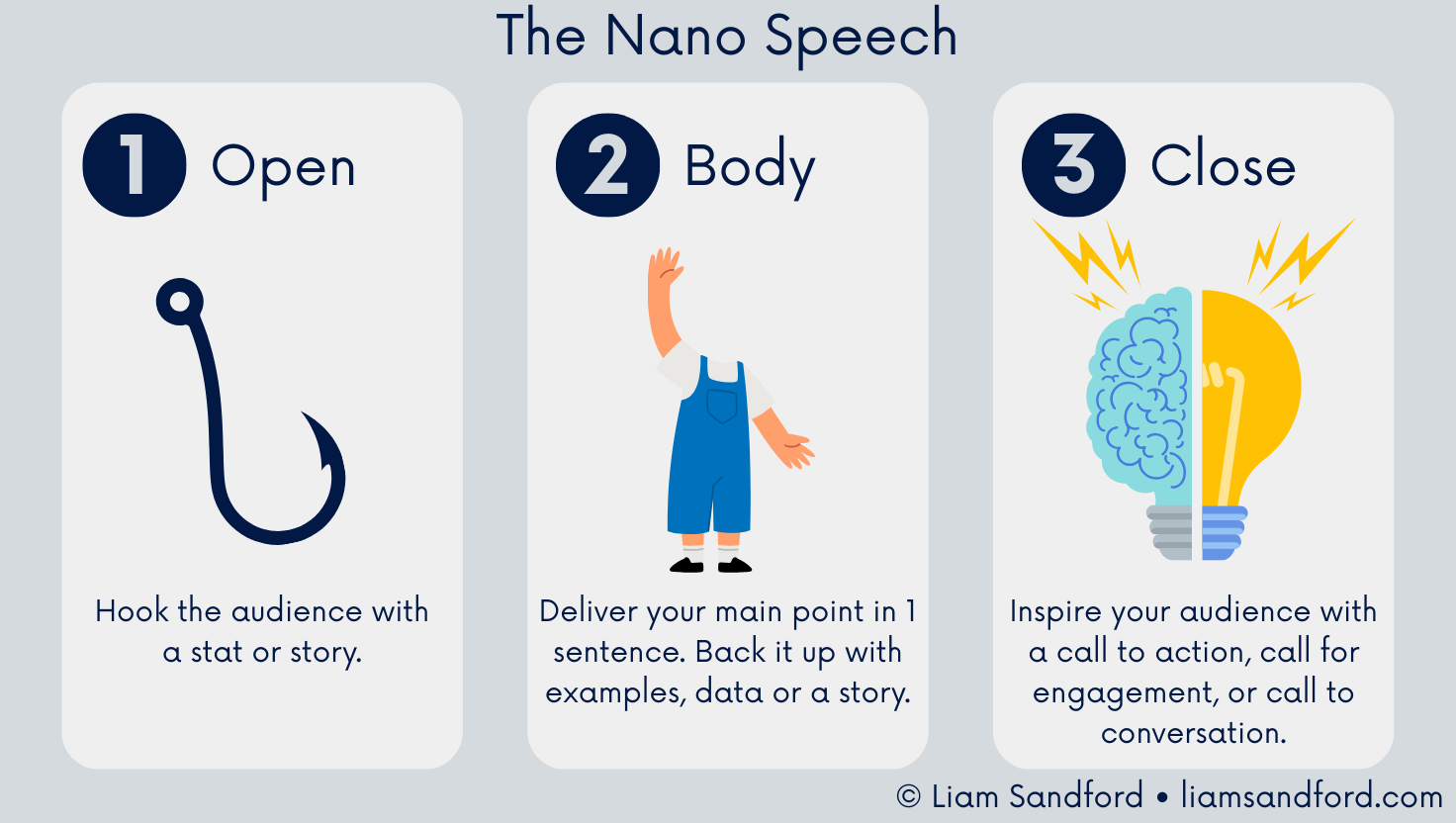
The Nano Speech is the only structure you will ever need, and it is the answer to the scripting trap. I created it so people could turn everyday conversations into low pressure speaking practice. It has three parts: an engaging open, one clear message in the middle, and a purposeful close. It runs in 10 seconds ("Hi, my name's Liam, what gets you out of bed in the morning?") and it scales to an hour. For a longer presentation, you stack nano speeches, swapping each close for a transition. Transitions are where a presentation is won or lost.
Here is the framework in action. Say your topic is helping a team adopt a new process. Your one sentence message might be: the new process saves each person an afternoon a week. That single sentence is the test. If you cannot reduce your point to one clear line, you are not clear enough yet, and no amount of slides will rescue it. Around that sentence you build the open (a short story about the afternoon someone lost to the old way), the body (the message plus the proof), and the close (the one thing you want them to do next). For a 30 minute presentation you stack three or four of these, swapping each close for a transition that carries the audience into the next point. AI is useful at every step: ask it for 5 ways to phrase your one sentence message, choose the sharpest, then ask for three openings that set up that message with a story rather than an agenda.
AI is a useful sparring partner here. Ask it for several opening hooks, a few ways to phrase your one sentence message, and two or three stronger closes. You choose from the options rather than starting from nothing. If you cannot state your main point in a single sentence, you are not clear enough yet, and that is the signal to keep refining before you build anything around it. The same structure carries you when you sit down to write the whole speech without losing your voice.
How to Edit and Humanise AI Written Content
AI gives you raw material; your voice makes it real. Once it hands you a draft, adjust the language so it sounds like you, cut anything too formal, and drop in your own stories and examples. Your lived experience is the one thing AI cannot generate, and it is the part an audience connects with. Skip this step and the presentation falls flat.
A quick example of what humanising looks like. AI might hand you: "in order to optimise outcomes, stakeholders must leverage cross functional alignment." Nobody says that out loud. Rewritten in a human voice it becomes: "if the teams do not agree on this, we will spend the next quarter undoing it." Same point, but the second version has a person behind it. Read every AI line against the test of whether you would say it to a colleague over coffee, and rewrite the ones that fail.
Editing is shaping. Remove what you do not need, expand what matters, keep what strengthens the message. AI can get you most of the way to a draft, but the part people remember, your stories and your phrasing, has to come from you. This is the whole art of keeping AI assisted writing sounding human.
Avoiding Overreliance and Keeping Your Voice Authentic
AI makes preparation quicker and clearer, but your voice sits at the centre of the presentation. Let it help with brainstorming and organisation; keep your stories, your tone, and your perspective firmly your own.
A simple test: read your content aloud. Your ear catches what your eye misses. Replace any line you would never say out loud, add a moment of personal insight, and use the language you would use in conversation. Lean on AI for the preparation, but the destination is yours.

How to Use AI to Generate Public Speaking Ideas
Coming up with ideas is where most people get stuck, staring at a blank page and unsure what will land. AI is a strong thinking partner here because it gives you options, prompts, and angles to react to. The ideas still come from you. AI just gets you unstuck and moving.
Brainstorming Prompts for Topics Your Audience Cares About
Feed AI what you know about your audience, their challenges, and your area of expertise, then ask for potential topics: their recurring questions, the problems they keep hitting, the angles that make a familiar subject feel fresh. Treat every suggestion as a starting point and choose the ones that match your experience and that you are genuinely excited to speak about.
Here are three prompts I use myself:
Work presentation prompt: "I have been asked to deliver a presentation at work. My audience is [who they are, e.g. my team, the leadership group], the presentation will be [duration, e.g. 20 minutes], and the topic is [topic]. What key points, stories, and examples should I include to make this engaging, informative, and actionable for this audience?"
Event or conference prompt: "I am preparing to speak at [event or conference]. The audience is [e.g. industry peers, conference attendees], the presentation will last [duration], and the topic is [topic]. What stories, examples, and insights should I include to make this memorable and valuable for this audience?"
General idea exploration prompt: "I want to generate public speaking ideas my audience will care about. My audience is [description], and they are interested in [area of interest]. Give me 5 to 10 presentation topics or angles that would resonate with them, spark engagement, and feel authentic to me."
I have used all three to go from uncertainty to a working list in a few minutes. Starting from a list beats starting from a blank page whenever you sit down to prepare.
There is a method I lean on for knowing which ideas are worth the effort, and it predates AI: the rule of three. When you notice a question or a frustration come up once in your audience's world, note it. When it comes up a second time, it is worth a short social post. When it comes up a third time, it has earned a place in a presentation or a proper resource. AI speeds this up rather than replacing it. Feed it a batch of the questions, comments, and objections you have collected from your audience and ask it to group them into themes, then show you which themes keep recurring. The recurring ones are your strongest topics, because they are the problems your audience keeps running into.
Using AI to Identify Trending Industry Conversations
Staying relevant is a constant challenge. AI can summarise recent discussions in your field, highlight common themes, and show you which topics are gaining attention. It will not replace your own judgment, but it makes patterns easier to spot. One firm rule: fact check anything it surfaces as "trending", especially if it is the first you have heard of it, because AI will state a confident nonsense with a straight face.
Combine what is current with what only you know, and you get a presentation that feels both timely and grounded in real experience.
Treat this as a starting point, not a source. AI is confidently wrong often enough that you should verify any statistic, name, or claim it gives you before it goes anywhere near a slide. The quickest way to embarrass yourself in front of an audience is to repeat a tidy fact that turns out to be invented. Use AI to point you at what to look into, then do the looking yourself.
Validating Ideas Through Search and Social Listening
Once you have a shortlist, use AI to pressure test it. Check search trends, social conversations, and forum threads to see which ideas are capturing attention, and prioritise accordingly. This is about reducing guesswork, not handing over the decision. You still choose what you are confident standing behind.
A note on how to read what you find. A topic getting a lot of noise is not the same as a topic worth presenting on. Plenty of loud conversations are crowded, which means you would be the tenth voice saying the same thing. What you are looking for is a question people keep asking that nobody is answering clearly, because that is the gap where your experience is worth most. Ask AI to separate the topics that are simply popular from the ones where the existing answers are thin or contradictory. The second group is where a presentation earns attention, because you are adding something the audience cannot find in ten other places. That judgement sits at the heart of generating ideas worth speaking about.
How to Use AI to Do Audience Research for Your Presentation
Audience research is one of the most important parts of public speaking, and one of the most often skipped. Here is the principle everything hangs on: it is not about you, it is about your audience. They only care what you can do for them. When you are unclear on who is in the room, you cannot choose the right examples, language, or level of detail. AI helps you think this through with intention instead of guesswork.
Analysing Audience Demographics and Pain Points With AI
Give AI the job roles, seniority, industry, and context, and ask it to surface the challenges, goals, and pressures that audience is likely carrying. This is most useful when you are speaking to people you do not deal with day to day. It moves you off generic assumptions and onto real concerns you can address. You still decide what is accurate and worth using; AI just gets you to that clarity faster.

A worked example makes this concrete. Tell AI: act as my audience and build me a one paragraph persona of a regional sales manager at a mid sized firm who has been asked to attend my session on pipeline forecasting, including what they hope to get out of it and what would make them switch off. The output gives you a specific person to write for: someone time poor, sceptical of theory, wanting something they can use on Monday. Your choices get easier from there. You cut the background slide they do not need, you lead with the practical, and you frame the theory as the reason the practical works. That is the whole point of the exercise, to write for one real person instead of a faceless room.
There is a shortcut for finding that person when you do not know the room well: the 2 Year Test. Think back to where you were two years ago, the problems you were wrestling with and what eventually solved them. More often than not, your past self is sitting in your audience, facing the thing you have already worked out. Ask AI to help you reconstruct what you struggled with back then and what you wish someone had told you, and you will often land on the most useful angle for the people in front of you. Your own experience, two years deep, is research you already own.
Crafting Audience Personas
A persona keeps you honest. Instead of writing for "everyone", you write for one specific person with specific needs: what they are thinking, worrying about, trying to achieve, or quietly resisting. Most people skip personas because they feel time consuming. AI removes that excuse by drafting one from the information you provide in seconds, so you can keep a real human in mind while you build the presentation.
Using AI to Personalise Examples and Stories for Each Audience
Once you know who you are speaking to, ask AI to adapt your examples so they feel familiar: industry relevant scenarios, the right vocabulary, situations the audience will recognise, then shape those into a story that lands. This is gold when you deliver a similar presentation to different rooms.
When you shape those examples into stories, a few techniques do the heavy lifting. Open with a bang, the way every James Bond film drops you straight into the action rather than easing in gently. Engage the senses, so the audience can picture the scene instead of just hearing a summary. And tell the story of a change, from how things were to how they became, because that arc is what stays with people. Ask AI to take a flat example and retell it using one of these, then make the words your own. As Carl Buehner put it, people do not remember what you said, they remember how you made them feel, so the story is doing more work than the data around it. You are not rewriting from scratch, just adjusting the surface so the core message lands. This matters even more with an international audience, where language and cultural references can make or break the connection.
Which AI Tools Are Best for Public Speaking?
There are more AI tools available than you could sensibly use, which is exactly why you should not try. Pick the few that suit you, your situation, and what you already know. A slim stack reduces friction; a sprawling one creates it. If a tool is adding steps rather than removing them, drop it.
Different tools suit different stages. Some are for thinking and writing, others for slides and visuals. Knowing what to reach for and when keeps preparation efficient.
The Best AI for Writing Your Presentation
Writing tools are the foundation. They help you think, structure, and refine before you ever open a slide deck, which is where clarity matters most.
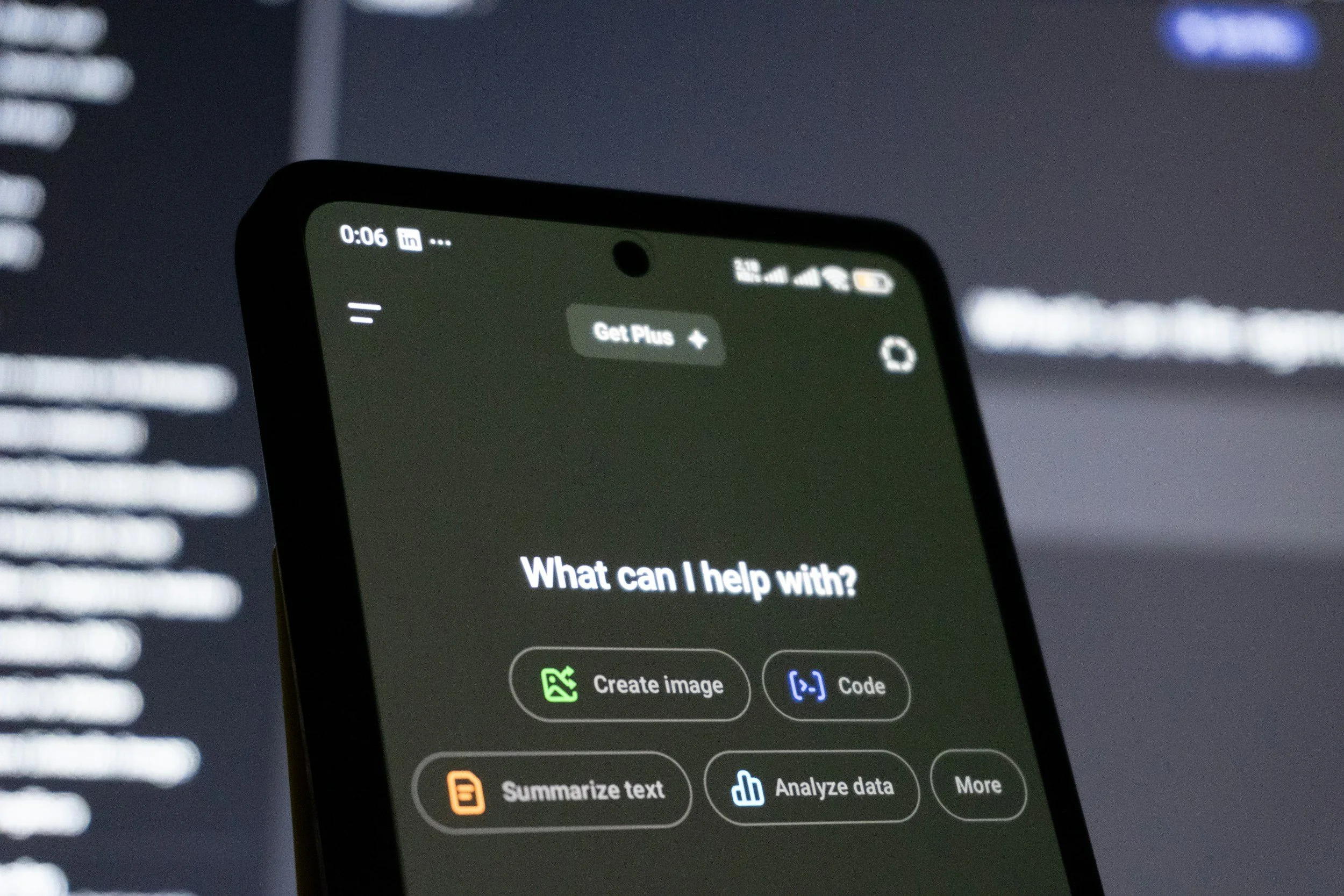
ChatGPT is a strong all rounder for outlining, generating Nano Speech variations, and testing different ways to frame a message. It works well when you need momentum and direction, and ChatGPT is the tool most people start with.
Claude is where I do most of my work now, including building my own workflows with skills and brand guidelines so the output already sounds closer to me. It is strong on refining language, tightening phrasing, and keeping a message clear and easy to follow.
Gemini is useful when a presentation needs supporting context or a broader read on a topic. It summarises and explores perspectives well, as long as you verify anything you plan to say out loud.
My honest take after years of this: the model matters less than the thinking you bring. Tools change. The habit of doing the thinking yourself and letting AI sense check it is what lasts.
The Best AI for Designing Your Slides and Visuals
Remember the rule before you touch any of these: you are the main event, not your slides. Build slides for the audience, not as a prompt for yourself, and if people can get everything from the slides alone, email the deck and stay home. Aim for images and a couple of curiosity striking words per point, not paragraphs.
Two rules keep slides honest. Keep each one to a single message, and keep the words to a maximum of 9. If a slide needs a paragraph, it is a document, not a slide, and you should hand it out instead of projecting it. Ask AI to take a wordy draft slide and cut it to one message and under 9 words, or to suggest an image or a single number that carries the point. The discipline is uncomfortable at first, because the corporate world loves a bullet farm, but it forces you to be the one delivering the message rather than reading it.
Beautiful.ai keeps layouts consistent and stops you overcrowding a slide, which suits structured, clarity first presentations.
Tome helps when you want slides to follow a story, translating written ideas into a visual sequence.
Gamma is the fast route from outline to clean, minimal slides when preparation time is short.
These slide tools turn your structure into visuals fast, and choosing between all the AI tools a speaker might use comes down to fit rather than features.
How to Build Your Own AI Assisted Speaking Stack
The most effective setup is the simplest one. For most speakers that means one writing tool and one slide tool, full stop. Use the writing AI to generate ideas, build a Nano Speech, and refine your structure, then move to the slide tool to turn that structure into visual support. That is enough. A stack should reduce effort, not give you ten tabs to babysit. Get to rehearsal sooner and you bank more reps before the day itself.
Since people ask what I do myself, here is my own setup. I do most of my thinking in Claude now, with my own brand guidelines and a few saved workflows loaded so the output already sounds closer to me than a cold prompt would. I start with audience research, not writing, because the message is worth more than the words. I tell the model to be brutally honest rather than encouraging, because flattery is useless when you are trying to find the weak point in an argument. And I treat every confident claim as suspect until I have checked it, because AI will state a wrong fact as smoothly as a right one. That habit, doing the thinking myself and using AI to pressure test it, is the part that has lasted through every change of tool.
How Not to Use AI for Public Speaking
AI helps only when it is used with intention. Used carelessly, it does the opposite of what you want: it strips out personality, puts distance between you and the room, and leaves a presentation feeling flat. Knowing how not to use it matters as much as knowing how.
Why AI Can Flatten Your Personality
AI defaults to safe, polished, neutral language, and it has a habit of telling you what you want to hear. Lift its words straight onto a slide and your presentation starts to sound like everyone else's. Your personality makes you memorable: your phrasing, your examples, the way you speak. An audience can feel the difference between a real person and a machine's average of everyone, and they disengage the moment they sense it.
The Risk of Over Polishing and Losing Connection
It is easy to keep refining with AI until every line is smooth, but public speaking is not a reading exercise. What reads well on a page often dies in the air. Over polished presentations lose rhythm and sound robotic. Some roughness is human, and a little imperfection builds trust. Life is not polished, so your presentation does not need to be either.
Common Mistakes Speakers Make With AI
The classic mistake is asking AI to write a full script and then trying to memorise it, which piles on pressure and pulls you away from the room. That is the same trap as the script I once forgot a word from, only faster to fall into. Two more: accepting the first output as finished when it is only a starting point, and bringing AI in too late, after everything is written, so it polishes instead of clarifies. AI does its best work early, while you are still shaping ideas and structure.
It is worth remembering why this matters, because the cost of a flat, machine smoothed presentation is not abstract. A speaker I worked with had his slides fail in the middle of an important presentation. He rambled, lost his place, and spiralled, convinced it had been career ending and that his boss would haul him in. When we talked it through, two things were true: he was his own worst critic, as most of us are, and he had in fact closed the deal in that very room. The lesson was not about slides. It was that an audience forgives a human moment long before it warms to a polished machine. Iron out every edge with AI and you trade away the thing that earns you that forgiveness.
Knowing where the line sits on AI ethics matters as much as spotting the common mistakes that flatten a presentation.
How to Use AI to Land Public Speaking Gigs
Landing opportunities can feel like a separate skill from speaking itself. It is unclear where to look, who to contact, and what to say. AI helps with the research, the positioning, and the admin that stops most people putting themselves forward. It will not build your reputation for you, but it helps you show up consistently.
Researching Conferences, Podcasts, and Event Hosts
Finding the right rooms takes time. Ask AI to build a focused list of conferences, podcasts, panels, and events that match your topic and audience, then to summarise what each one tends to care about and the kind of speaker it features. That turns scattergun outreach into a shortlist you can work through.
Make the request specific or you will get a generic list. A prompt I use looks like this: "I speak on [topic] to [audience]. Find me 15 podcasts and 10 conferences in [industry or region] that feature speakers on this, and for each one note the audience, the typical guest or speaker profile, and how they take submissions or pitches." Then I score the list myself on two things: does my message genuinely fit their audience, and can I reach the host without a cold introduction. The events that score well on both go to the top, and the rest can wait.
Writing Speaker Pitches and Proposals
Pitching yourself feels awkward, especially on positioning. Use AI to draft a pitch framework and tailor it to a specific host, clarifying your topic, the value to their audience, and what people will leave with. The key word is draft. AI shapes the structure; the substance, your stories and credibility, comes from you, and you write the final version that goes out.
It helps to know what a host is scanning for, because they are busy and you have a few seconds. A pitch that lands usually has five parts: a specific angle or session title (not "I could talk about marketing" but "the one to many engine: turning a single presentation into a month of content"), the outcome their audience walks away with, one line on why you are the person to deliver it, a short proof point, and an easy next step. Ask AI to draft that in five tight lines, then cut anything that is about you rather than their audience. It is not about you, it is about what their audience gets, and a pitch that leads with the audience outcome beats one that leads with your CV.
Automating Follow Ups and Outreach
Consistency is usually what separates the people who land gigs from the people who give up. Ask AI to help you plan a simple follow up sequence and draft polite, personalised messages, so you have a process instead of a knot in your stomach about when to chase. You still decide who to contact and how to make each message personal.

A workable rhythm is light and patient: a first message, a short nudge about a week later, and a final value-add a week or two after that, then stop. The value-add is what separates a polite follow up from a pest. Instead of "just checking in", send something useful: a relevant clip, a stat their audience would care about, or a fresh angle on a topic they have covered. Ask AI to suggest two or three of those per contact based on what the host publishes, and the follow up stops feeling like begging and starts feeling like you are already being helpful.
Identifying PR and Visibility Opportunities
Speaking opportunities are not limited to a stage. Ask AI to spot media features, guest articles, panels, and collaborations where your ideas fit current conversations. That lets you position yourself proactively rather than waiting to be found.
It also helps to widen what you count as speaking. A conference stage is one option, but a podcast guest spot, a video, a webinar, or a live audio room all build the same authority, and they are easier to get started with. This is where the one to many idea pays off: a single strong presentation can become a podcast pitch, a short video, a handful of social posts, and a guest article, all pointing back to the same message. Ask AI to map one piece of your material across those formats, and a single idea quietly turns into a month of visibility from one afternoon of thinking.
Build Your Own Stage Instead of Waiting
The fastest way to get speaking reps is to stop waiting for someone to pick you and build your own room. I did this with my co-author Derek Moore: we started a public speaking room on social audio, and 150 people turned up to the very first one. It became a weekly fixture. Because there was no camera and you could keep notes in front of you, we invited nervous people to come to the mic, say their name, and get their first ever speaking rep in with no pressure. Many came back, shared their progress, and went on to host their own rooms. One speaker I worked with followed exactly that arc, from a real fear of getting in front of people, to hosting his own audio rooms, to producing video that grew his business.
AI lowers the barrier to building your own platform even further. It can help you plan a series, draft a run of show, script an opening so you are not winging it, and generate the questions that keep a conversation moving. You are not asking anyone's permission, you are creating the reps and the audience at the same time, which is a quicker route to bigger stages than waiting in an inbox.
Track Which Rooms Pay Off
One thing I will add from the marketing side, because most speakers miss it: speaking is measurable, it is just usually left untracked. If you put a dedicated link or a simple memorable URL in your closing rather than your generic homepage, you can see which presentations and which rooms send you enquiries. AI can help you plan that, drafting the tracking structure and the wording of the offer, so a presentation stops being a vague brand building exercise and starts being something you can tie to real outcomes. Visibility you cannot measure is hard to repeat on purpose. That turns landing public speaking gigs into a repeatable process rather than a guessing game.
How to Use AI to Improve Your Work Presentations
Work presentations are high stakes and low time. You might be presenting to leadership, influencing a decision, or reporting on a project, usually with too little time to prepare. AI helps you clarify your thinking, tighten your message, and prepare with less stress, so you can focus on the outcome you want from the room. The same preparation carries over to high pressure interviews and presentations.
Build an Engaging Work Presentation With the Nano Speech
Most work presentations fail because they are overloaded with information and underbuilt as a structure. The Nano Speech fixes that: an engaging open, one clear message, a purposeful close. Ask AI for opening options that are not an agenda, help naming the single message that matters most, and a few ways to close with intent. Structure first, slides second.
As a quick example, imagine you have been asked to present quarterly results to leadership. The overloaded version lists every metric. The Nano Speech version opens with the one number that changed the story, states the single message (we grew because of this, and here is what we do next), backs it with two proof points, and closes with the decision you need. Ask AI to help you find that one number and that single message, and the deck almost builds itself.
Shrink the Time It Takes to Research Your Audience
In a work setting your audience changes often: different teams, departments, leadership groups. Give AI the roles and context and ask what that audience usually cares about, so you can pitch the detail and framing correctly without losing an afternoon to research.
For instance, before presenting to a finance team you might ask: what does a finance leader in a manufacturing business care about most when someone pitches a new tool, and what makes them switch off. The answer steers you towards payback and risk, and away from the feature list you were tempted to lead with. Five minutes of this beats an afternoon of guessing.
Writing Persuasive Internal Presentations
Internal presentations often need to persuade: for budget, approval, alignment, or a change of direction. Use AI to organise your reasoning and pressure test how you frame it, exploring what will matter most to the decision makers in the room. Do not memorise it. Use it to sharpen your thinking so you can speak naturally.
In practice that might look like asking: here is my argument for a bigger budget, give me the three objections a sceptical finance director would raise, and the strongest one sentence answer to each. You walk into the room already holding the counterarguments, which is what separates a confident ask from a hopeful one. The reasoning is yours; AI just made sure you had stress tested it before someone else did.
Crafting a Close That Gets the Decision You Want
Plenty of solid presentations end weakly because the close is vague. Be specific about the decision or next step you are asking for. Here is a reframe I give people: instead of finishing with "any questions?", which invites the hardest one, try "here is what I plan to do next, what would you advise?" It hands over without exposing you. Ask AI for a few closing options built around the exact outcome you want.
There is a related habit worth borrowing. Most people save the one thing they want, the decision, the introduction, the next meeting, for the very end, when attention is already fading and people are packing up. Where it fits, make your ask earlier, while the room is still with you, and use the close to confirm it rather than to introduce it. You can ask AI to help you find the natural moment in your structure where attention will be highest, then position the request there. It is a small change of timing that gets you a clear answer more often. The same discipline turns a dreaded work presentation into a decision the room gets behind.
How to Use AI to Improve at Public Speaking
Getting better at public speaking is a skill journey: deliberate practice, honest reflection, and frameworks that work. My own started about 10 years ago in a university lecture theatre, when a lecturer said he would pick people at random to answer questions. My heart raced and I wanted the floor to swallow me. I was never picked, but the fear was enough to make me change something. I started small and scaled up, and that is the whole philosophy: comfortable, then confident, then competent. AI supports the thinking and organisation behind that climb so your practice time is spent where it counts.
Can AI Be My Public Speaking Coach?
No. AI cannot watch your delivery, feel the room, or react to a live audience. It cannot adjust your pacing, tone, or gestures, read a subtle reaction, or tell you how to pivot mid presentation. Those are human skills that come from real practice and real coaching.
AI is also useful for the part most speakers dread: questions. Ask it to play a tough audience and fire the hardest questions at your material, so you walk in having already thought them through. But for the question you cannot answer, know that honesty wins. I used to try to bluff through and feel terrible afterwards. Now the line is simply, I will take a look and get back to you, and then I follow through. Audiences respect that, and it hands you a reason to reconnect later through the lens of helping them. AI can prepare you for the questions you can predict; your composure handles the ones you cannot.
What AI can do is supercharge your preparation. It can draft and refine Nano Speech variations before you practise, suggest different ways to frame an argument, generate examples to test against different audiences, and help you rehearse answers to the questions you are dreading. It can also review a recording to analyse and improve your delivery, and give you real time support around the presentation itself. Bring that to a coaching session or a practice run and you arrive with your thinking already done, which frees the human feedback to focus on delivery and presence. AI helps you practise intelligently; the growth still comes from doing the reps.
It helps to know where you are starting from. I think of speaking confidence as a ladder with 5 levels, and you climb it one rung at a time rather than leaping to the top. At the bottom you avoid speaking altogether. Above that you will speak but dread it. Then you can do it, but it costs you. Higher still you feel genuinely confident, leaning on recent successful reps rather than slides. At the top you are competent, able to focus on the audience and handle being put on the spot. AI cannot move you up the ladder, but it can lower the effort of each rung so you climb sooner. The engine underneath all of it is simple: confidence is success remembered. You feel confident when you can easily recall a recent rep that went well, which is why the worst thing you can do is leave your practice until two days before. A speaker I worked with built his confidence by doing 10 tiny reps a day, the kind anyone can fit in: ordering a coffee with a clear open and close, asking a question in a meeting, introducing yourself to someone at an event. Each one is low stakes, and together they give you a bank of recent wins to draw on. AI fits this well, because you can rehearse and refine those small reps in seconds, then go and do them for real. The reps themselves are where rehearsal and practice do the real work.
Using AI to Apply Good Public Speaking Frameworks
Frameworks like the Nano Speech, storytelling, and "eyes light up" moments give your audience something to follow and you something to lean on. AI helps you apply them quickly: draft a structure that uses the framework, generate variations for openings and closes, and test different ways to phrase a transition. The framework stays intact and the message stays yours; AI just gets you through the ideation faster so rehearsal can focus on delivery. This is also the safest way to build your speaking skills without piling on the anxiety. When the anxiety itself is the real barrier, that is the place to start.
Prompt Engineering for Public Speaking
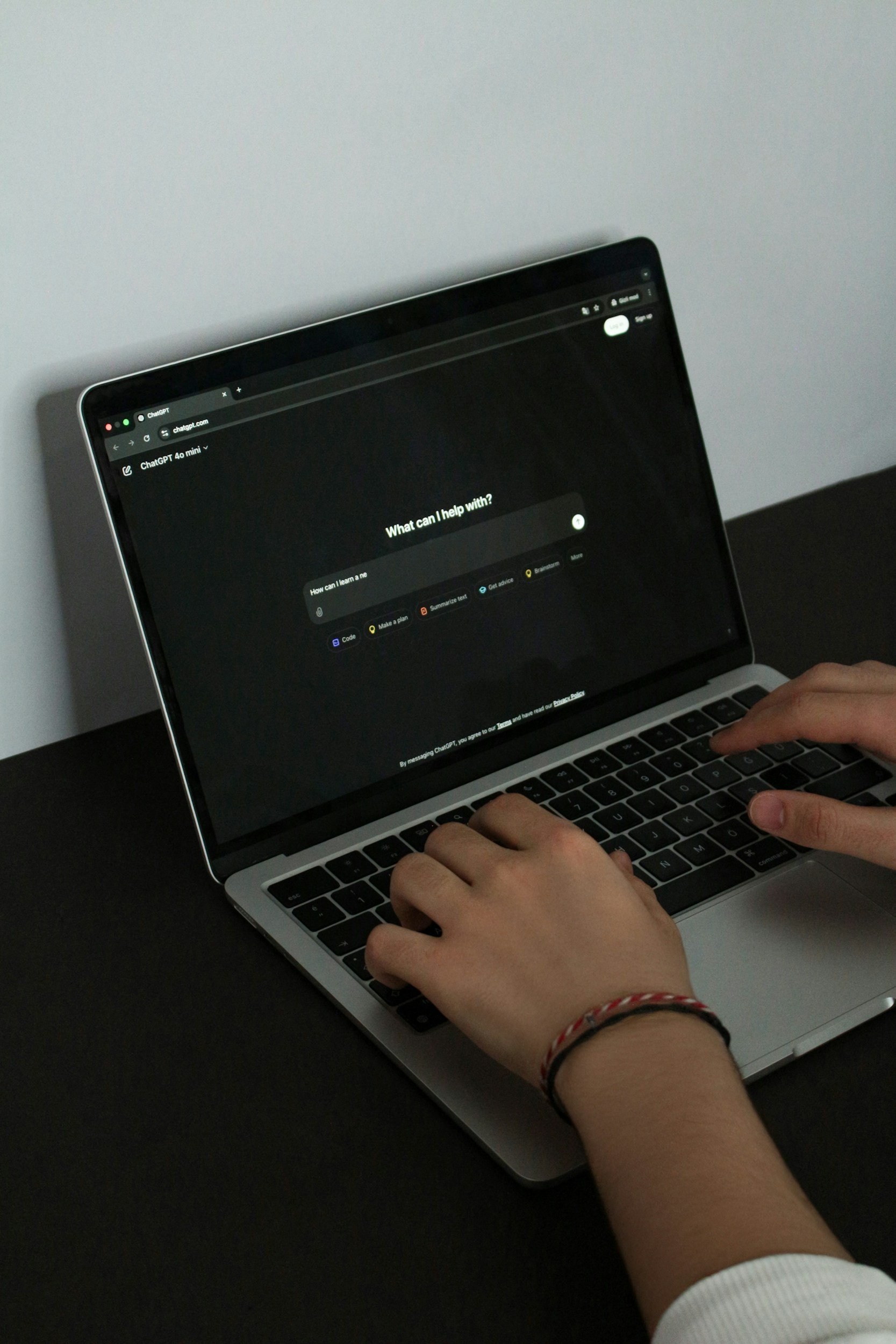
AI is only as good as the prompts you give it. Prompt engineering is just the skill of writing instructions that produce clear, useful, usable results. It does not replace your thinking; it focuses it.
The Basics: Role, Task, Context, Format
Strong prompts usually include four parts:
Role. Tell the AI who to be: a communication strategist, an expert speaker, a professional in your field. A defined role gives the output perspective and authority. Without one, results drift generic.
Task. Say exactly what you want done: generate ideas, summarise research, structure a presentation, or offer three ways to frame a concept. Vague instructions produce vague answers.
Context. Give it enough background to be relevant: topic, setting, audience level, and constraints like time or word count. Context is the difference between an actionable suggestion and a generic one.
Format. State how you want it back: bullet points, a numbered list, a table, short paragraphs. The clearer the format, the less editing you do.
Include all four and your outputs come back focused and structured, so you spend your time applying them rather than fixing them.
Iterating Prompts to Refine Delivery and Voice
The first response is rarely the one you use. Refine by adjusting phrasing, tone, and clarity of instruction. Ask for a more conversational version, a different framing, or examples your specific audience would recognise. Each pass teaches you which instructions reliably work, which builds your confidence in the process and keeps you off the blank page.
Here is how one iteration looks in practice. You start with "give me an opening for a presentation on customer retention." The result is bland, so you tighten it: "Act as a communication strategist. Give me 3 openings for a 20 minute presentation to non technical managers on customer retention. No agenda. Each one should start with a surprising statistic or a short story, in under 40 words." That second prompt names the role, the audience, the format, and the constraint, so the output comes back usable. If one opening is close but stiff, your third pass is simply "rewrite option 2 the way I would say it to a colleague over coffee." Three passes, and you have an opening worth practising.
One more prompt worth keeping is the brutally honest pass. Once you have a draft you are happy with, paste it back in and say: act as a sceptical member of my audience, tell me where this loses you, where it sounds generic, and which claim you do not believe. The first time you do this it stings, because the model stops being polite and starts being useful. You get a short list of the exact spots that are weak, and fixing those three or four things does more for the presentation than another hour of polishing the parts that were already fine. This is the difference between using AI to flatter you and using it to improve you.
Creating Your Own Speaker Prompt Library
A prompt library is simply the collection of prompts you know produce good results, saved so you can reuse them. Keep prompts for outlines, creative angles, research summaries, alternative phrasing, and audience testing. Refine them as your style evolves and as the tools improve. Over time the library turns AI from a random helper into a reliable assistant that genuinely shrinks your preparation time. Building that library is the everyday craft of prompt engineering.
Getting Started With AI for Public Speaking
With so many tools and possibilities, it is easy to freeze trying to do everything at once. Start intentionally, focus on what adds the most value, and build confidence gradually. Starting small is how you get the benefit without the stress.
Start Small, One Workflow at a Time
Pick one part of preparation where AI removes the most friction and learn to use it well there before adding anything else. Maybe that is generating Nano Speech openings. Once that feels natural, extend it to audience research, then slide outlines. Small wins compound: each workflow you master saves time and builds confidence, until you have a repeatable process that frees you to focus on connection, presence, and authenticity.
If you want a first workflow to copy, use this one. The night before you prepare anything properly, paste your topic and audience into AI and ask for three possible one sentence messages and three openings that are not an agenda. That is it. You are not writing the presentation, you are removing the blank page so that when you sit down to do the real work, you are reacting to options instead of staring at nothing. Master that single step and you will feel the difference straight away.
Combine AI Efficiency With Authentic Delivery
Let AI handle the thinking, organisation, and early drafting, then practise delivery on your own. Read your Nano Speech aloud, play with tone, gestures, and pacing, and adjust by how it feels rather than how it reads. The point of AI is to take the friction out of preparation so you have more time to rehearse and connect. Used this way, your presentations end up both prepared and human.
One thing not to over engineer here is filler words. Mine were "like" and "um", and I leaned on them because I was scared of leaving any silence. A few are fine, they make you sound human rather than robotic, and the fix is not to scrub every one out but to slow down and get comfortable pausing. If you record a rehearsal, AI can flag where filler clusters so you know where to breathe, but resist the urge to polish yourself into a machine. A natural pause beats a perfect sentence delivered at speed.
TL;DR: Ultimate Guide to Using AI for Public Speaking
AI is a preparation assistant for public speaking, not a stand in for you. It is strongest before you ever open your mouth, and weakest the moment you ask it to be the speaker.
Build structure with the Nano Speech (open, one clear message, close) and let AI draft variations, not scripts.
Research your audience first, because it is about them, not you; AI personas get you there in minutes.
Keep a slim stack: one writing tool, one slide tool, and drop anything that adds friction.
Edit everything in your own voice. AI hands you a draft; the part people remember is yours to add.
Use AI to prepare faster, then spend the time you save practising delivery, which is where real improvement happens.
FAQs on Using AI for Public Speaking
Can AI write my speech for me?
It can draft one, but you should not deliver it as written. A full AI script tends to sound generic and tempts you into memorising, which raises pressure and pulls you out of the room. Use AI for structure and options, then rewrite it in your own words and add your own stories.
What is the best AI tool for public speaking?
The one you will use consistently. For most people a single writing tool (ChatGPT, Claude, or Gemini) plus one slide tool (Beautiful.ai, Tome, or Gamma) covers everything. A small, familiar stack beats a large, clever one.
Will using AI make me sound robotic?
Only if you let it. AI defaults to smooth, neutral language, so the fix is to read every draft aloud, cut anything you would never say, and put your own phrasing and examples back in. A little roughness keeps you sounding human.
Can AI replace a public speaking coach?
No. It has no eyes on the room and no read on a live audience, so it cannot tell you how your pacing, presence, or timing are landing as you speak. Treat it as preparation support that gets your thinking and structure ready, leaving any coaching or practice to focus on how you come across.
How do I start without getting overwhelmed?
Choose one workflow, such as generating opening hooks for a Nano Speech, and get comfortable with it before adding another. Small wins compound, and a focused process beats trying to use every tool at once.
Accelerate Your Public Speaking Skills With AI
Learning how to use AI for public speaking and actually applying it are two different things. To see real improvement, you need to integrate AI into your preparation, practice with intention, and build successful speaking routines. If you have made it through this ultimate guide, you are ready to take the next step and use AI to prepare more efficiently, stay organised, and deliver presentations with clarity and confidence.
Ready to start using AI to enhance your public speaking? Sign up for the free 5-day Effortless Public Speaking email course and get practical tips on how to become a better public speaking and deliver any presentation without stress.